Tiny files
Keep the look of your photos and lose the bulk. Fewer bytes to store, send and serve.
Pretty Optimized Pixels
Pop does everything JPEG does, in files 38% smaller. Pages load quicker, apps feel snappier and your storage goes further.
See for yourself
One photo, saved as Pop and as a JPEG of the same size. Drag the line, then try each quality.
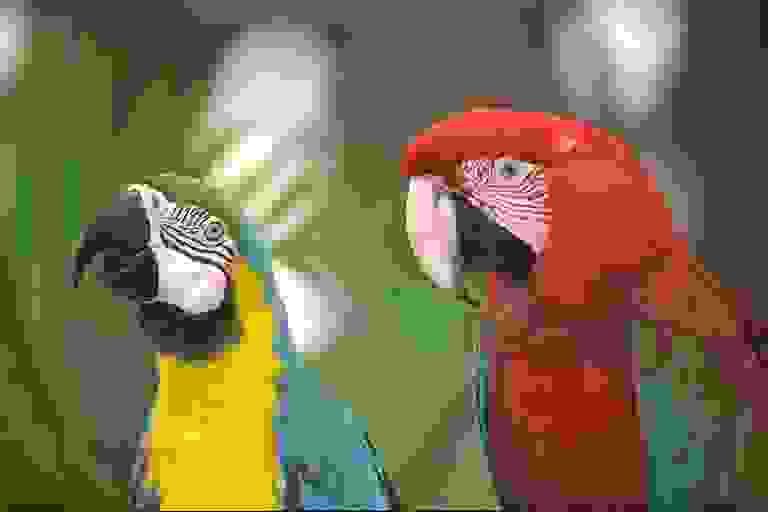
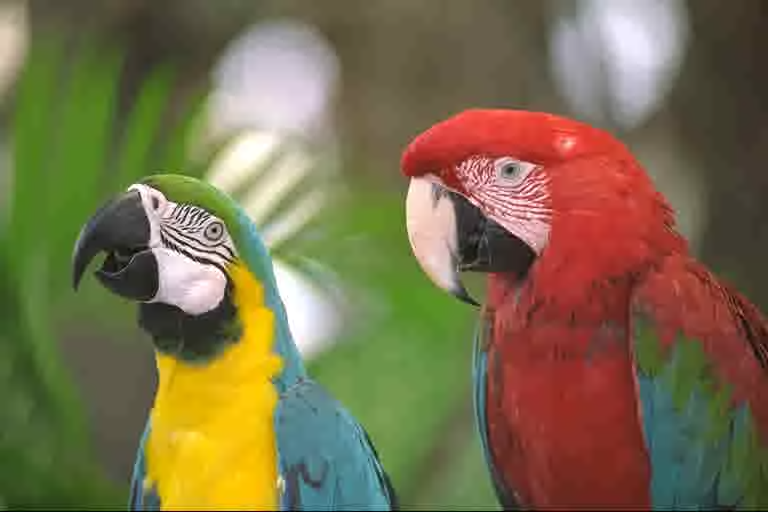
Photo: Kodak test image. JPEG made with libjpeg-turbo at its default settings, without Huffman optimization, at the highest quality that fits Pop’s file size.
More examplesWhy Pop
Pop spends bytes where your eyes look and saves them where they don't. Same picture, a fraction of the weight.
Room to spare
Two phones with the same storage. We throw the same photos into each.
Same space. 1.6× the photos.
Pop photos are 38% smaller, so the phone, laptop or cloud storage you already have holds about 60% more of them. Room for 80 JPEGs is room for 130 Pop photos.
Keep the look of your photos and lose the bulk. Fewer bytes to store, send and serve.
Pictures show up the moment you need them, on a laptop or a phone in your pocket.
.pop files show thumbnails and quick previews right where you browse your files.
Bring your existing photos across and keep working the way you already do.
Pretty Optimized Pixels. Which is also a fair summary of what it does.
That's what it's for. Pop does the same job as JPEG with files about 38% smaller, and it saves photos faster than JPEG on phones and computers alike.
We keep the recipe in the kitchen. What matters is what comes out: smaller files that still look like your photos.
Yes. Turn your existing JPEG and PNG images into .pop files and keep the originals for as long as you like.
Pop is free to use under the AGPL, as long as you share your own source. For closed-source apps and services there is a commercial license. And anyone may write their own .pop reader or writer.
Coming soon to iPhone, iPad, Android, Mac, Windows, Linux and the web